Complete School ERP
for Indian K-12
Admissions, fees, attendance, homework, marks, report cards, meetings, notices and chat in one ERP built for Indian schools, on the web and on phones. CBSE, ICSE, IB, Cambridge, State Boards.
- Guided setup, bulk import
- Online fees via Razorpay
- Microsoft, Okta & OIDC single sign-on
- CBSE, IB & Cambridge report cards
Built for Indian schools
Why Bellbox
Every role in the school works from one detailed record of each student.
School office
Admissions, fees, HR and payroll, the school bus, meals, complaints and the rest of day-to-day operations.
Teachers
Classes, homework and tasks in one place, with a view of how the whole class is progressing, and their own leave and payslips.
Students
Timetable, homework, and every test, sport and activity they take part in.
Parents
The same information the school has, on the day it is recorded.
Every term, subject, sport and activity is captured down to individual answers and personal bests. Insight comes from that record. AI features such as interactive learning and personalised guidance are add-ons that work from it, so they improve as the record grows.
Aarav Mehta
Class 8-B · Sunrise Valley School · Term 2
- Won
Chess club
Activities · Inter-house round 2
- 9 / 10
Science · Homework 6
Academics · Submitted on time
- Late
Attendance · Mon 13 Oct
Attendance · Arrived 08:12
Athletics · 100 m
Sport · Inter-house heats
- 0 / 3
Maths · Unit test 2 · Q7
Academics · Ratio word problem
AI add-ons, working from this record
Practice set on ratio word problems, built from Q7 and Q12 of Unit test 2
100 m time has improved in each of the last three inter-house events
Moving to Bellbox
A separate tenant for each school
Each school has its own database, kept apart from every other school on Bellbox.
Built for the DPDP Act
Consent, role-based access and audit logs are part of the product, with data kept in India.
Migration tools
Bulk import of students, staff and parents, with every row that fails returned with the reason.
Single sign-on
Staff sign in with Microsoft, Okta or any OpenID Connect provider; parents with Google or a phone OTP.
One school, every role
The right screens
after sign-in.
One web address per school and one app. Parents, students, teachers and admins each land on their own home.
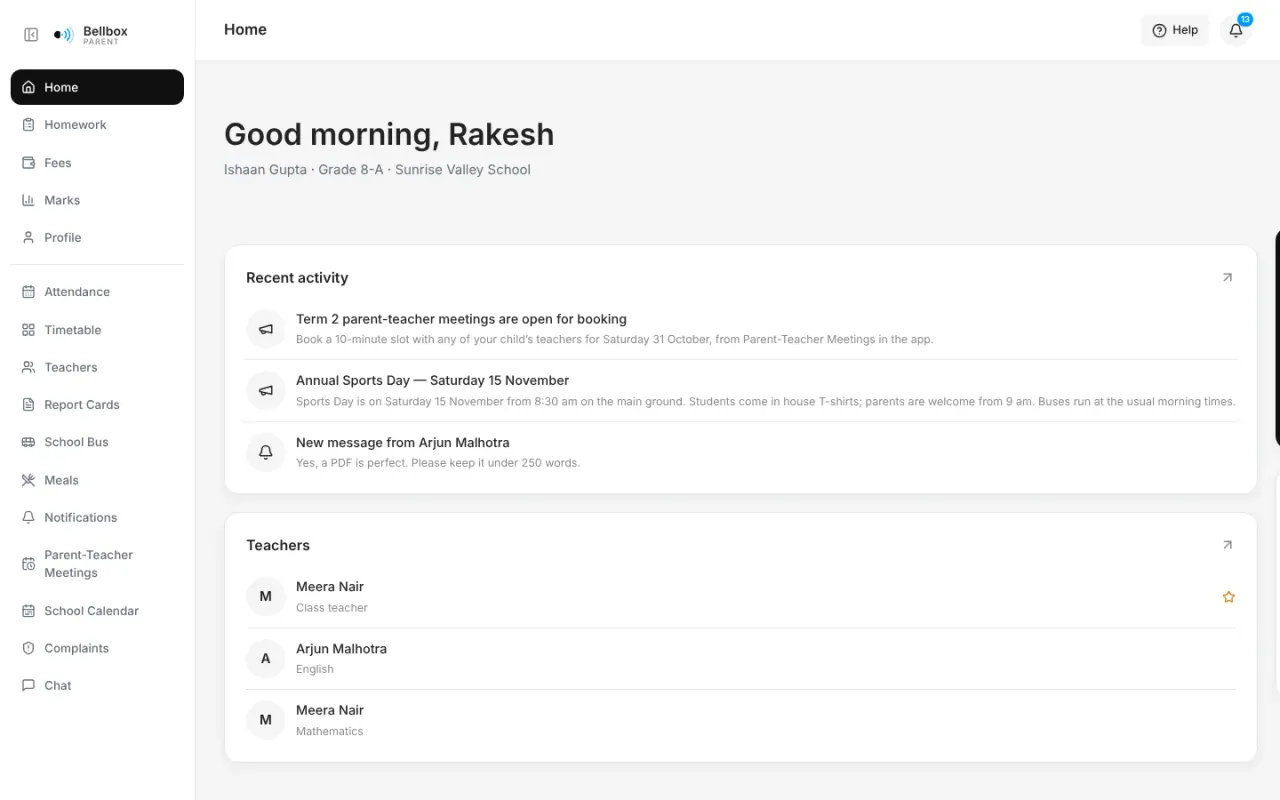
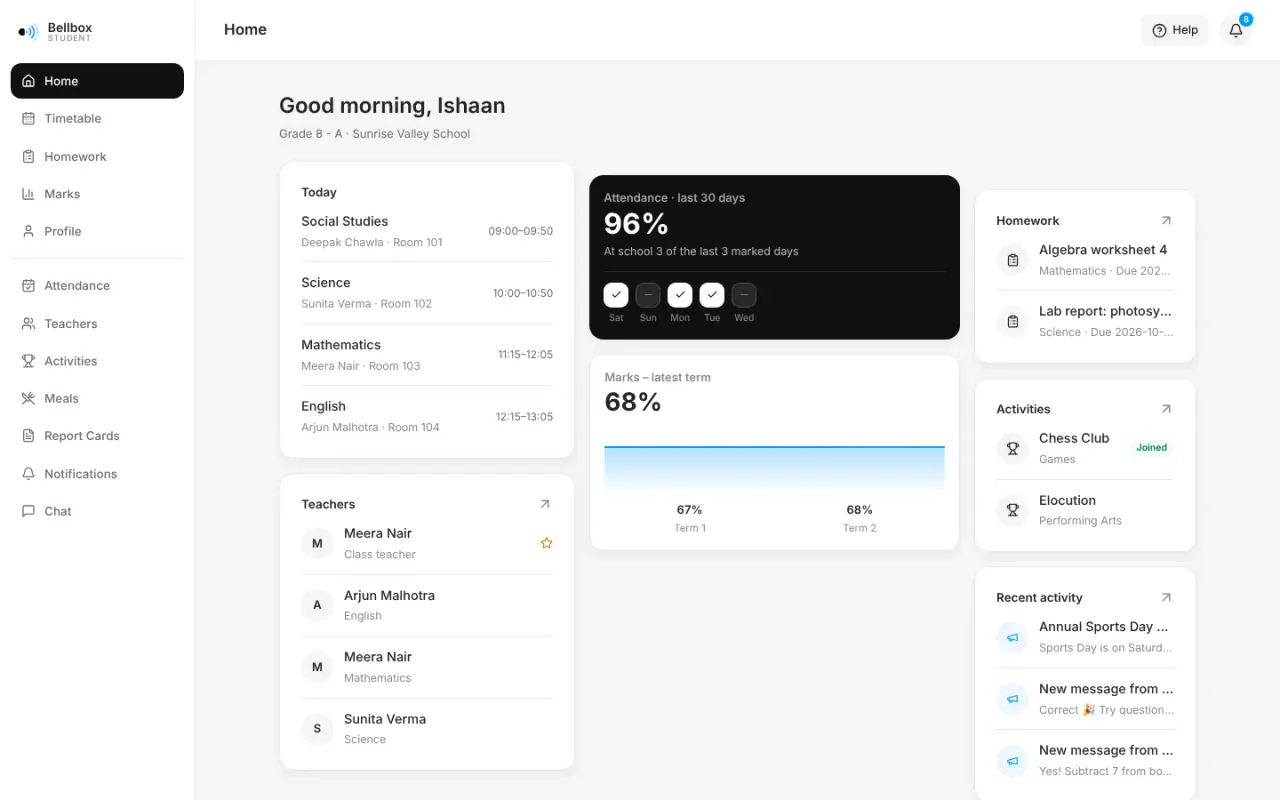
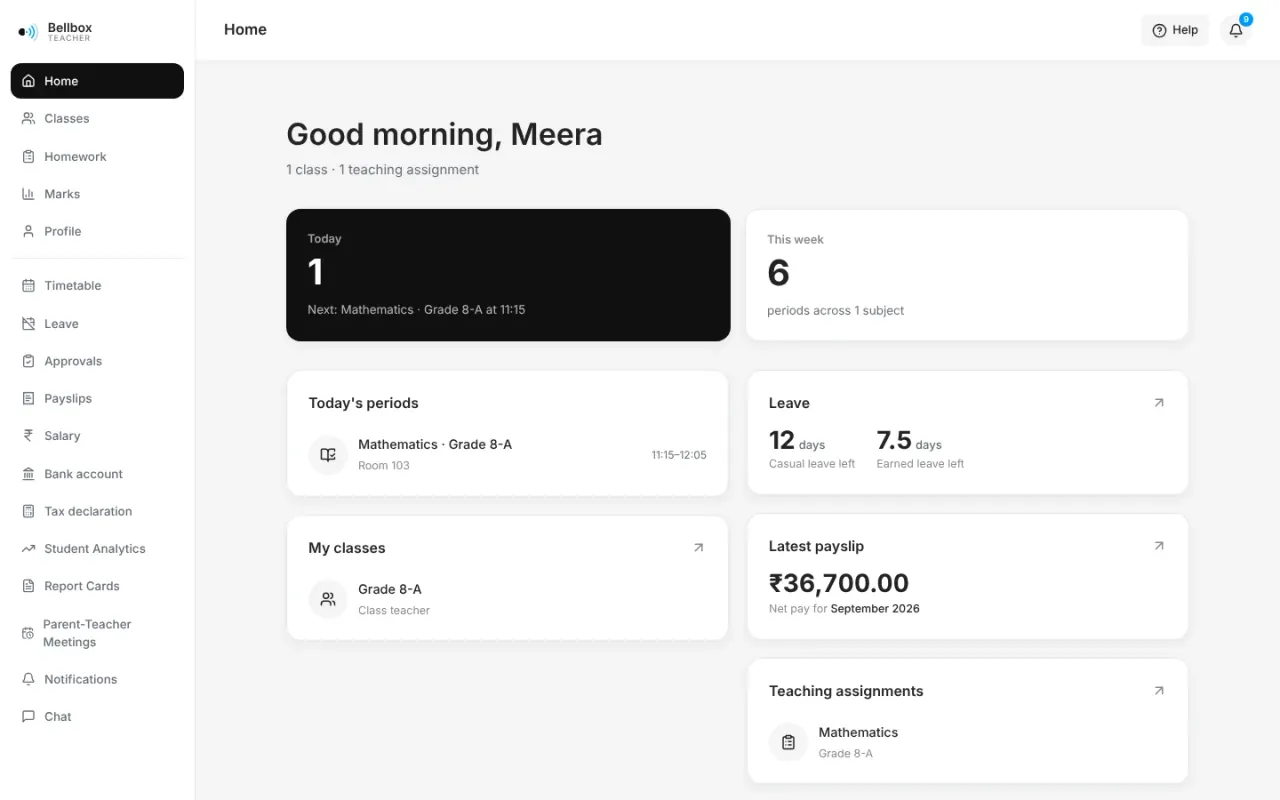
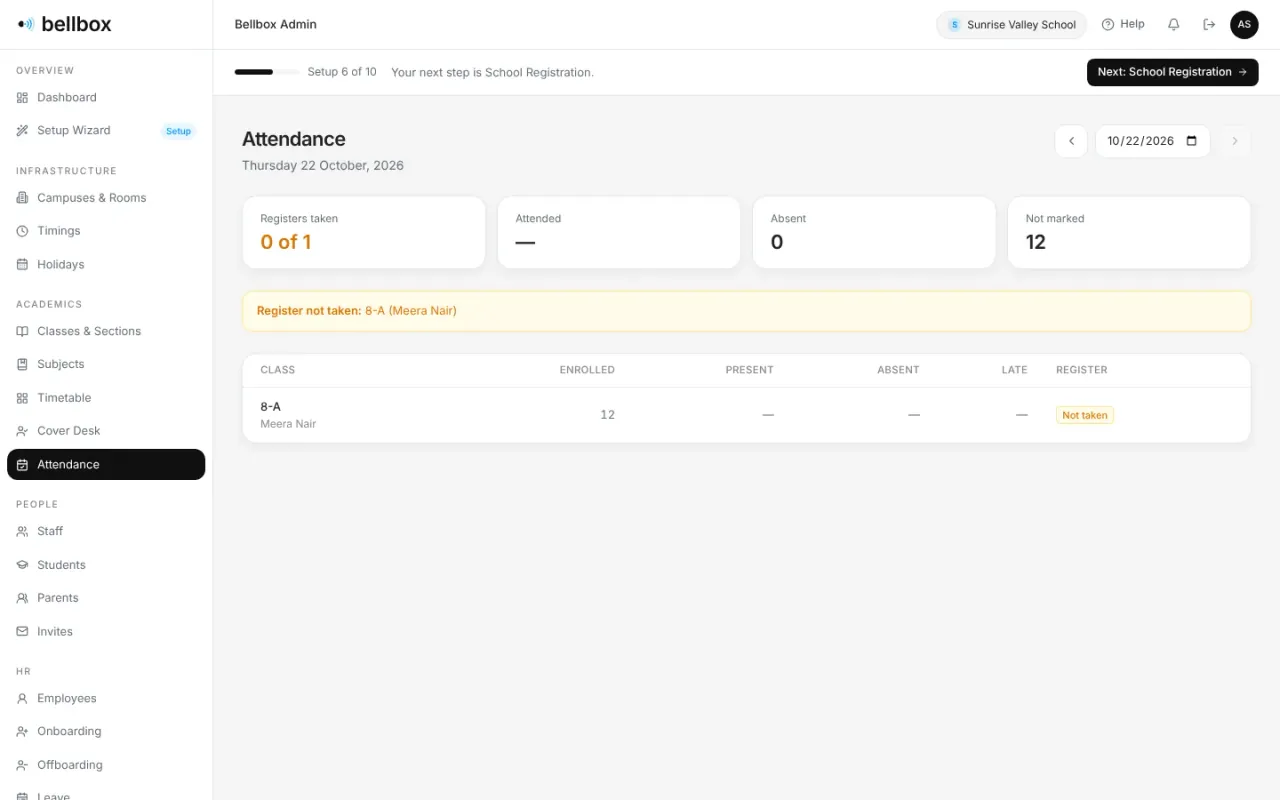
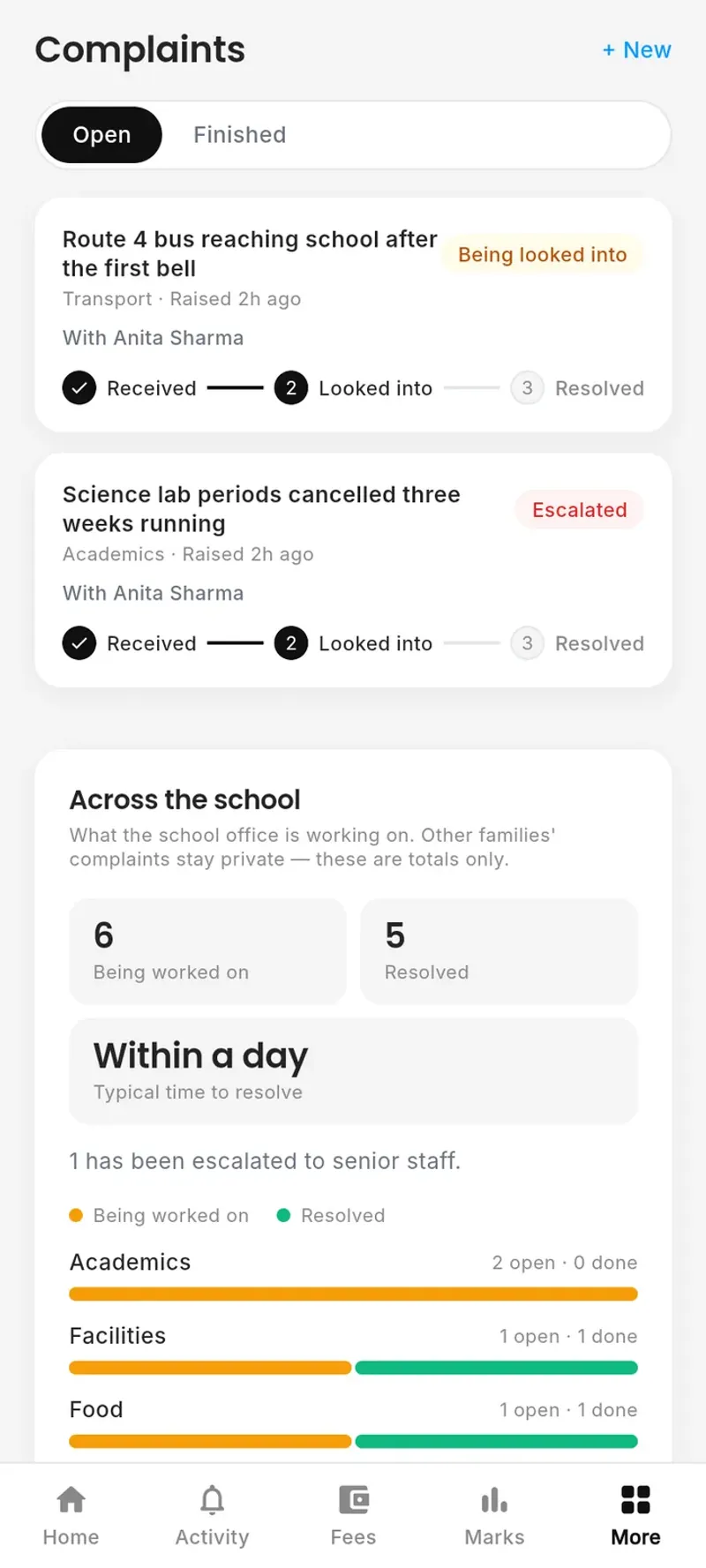
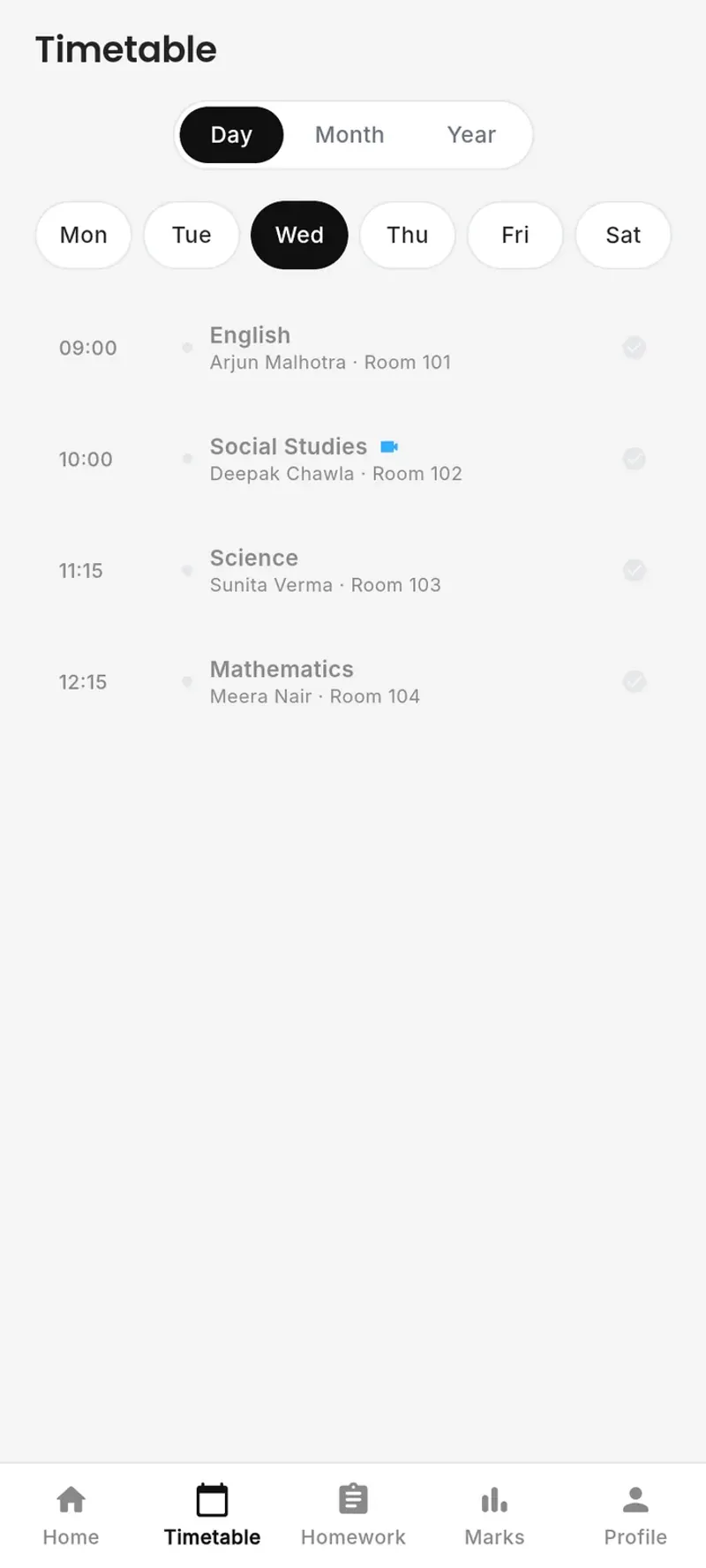
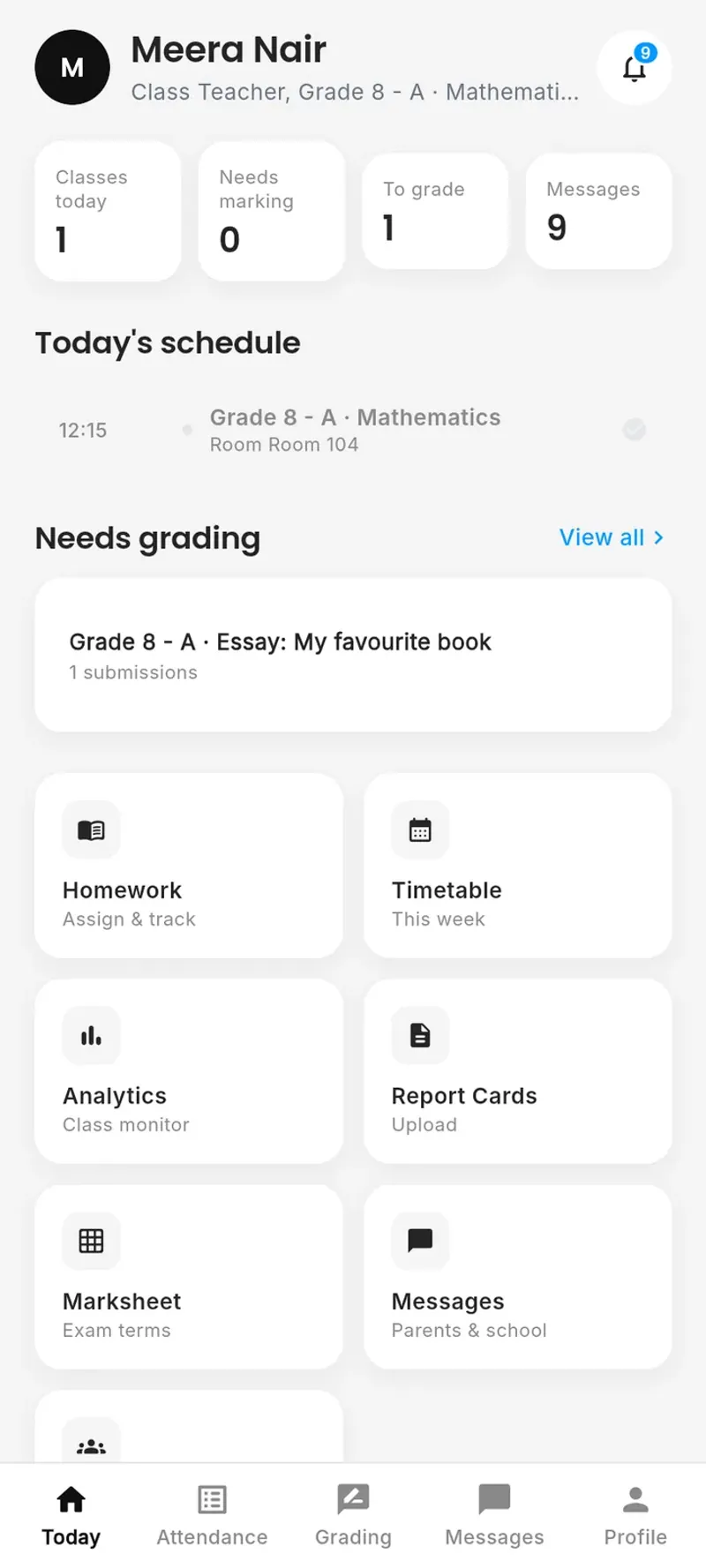
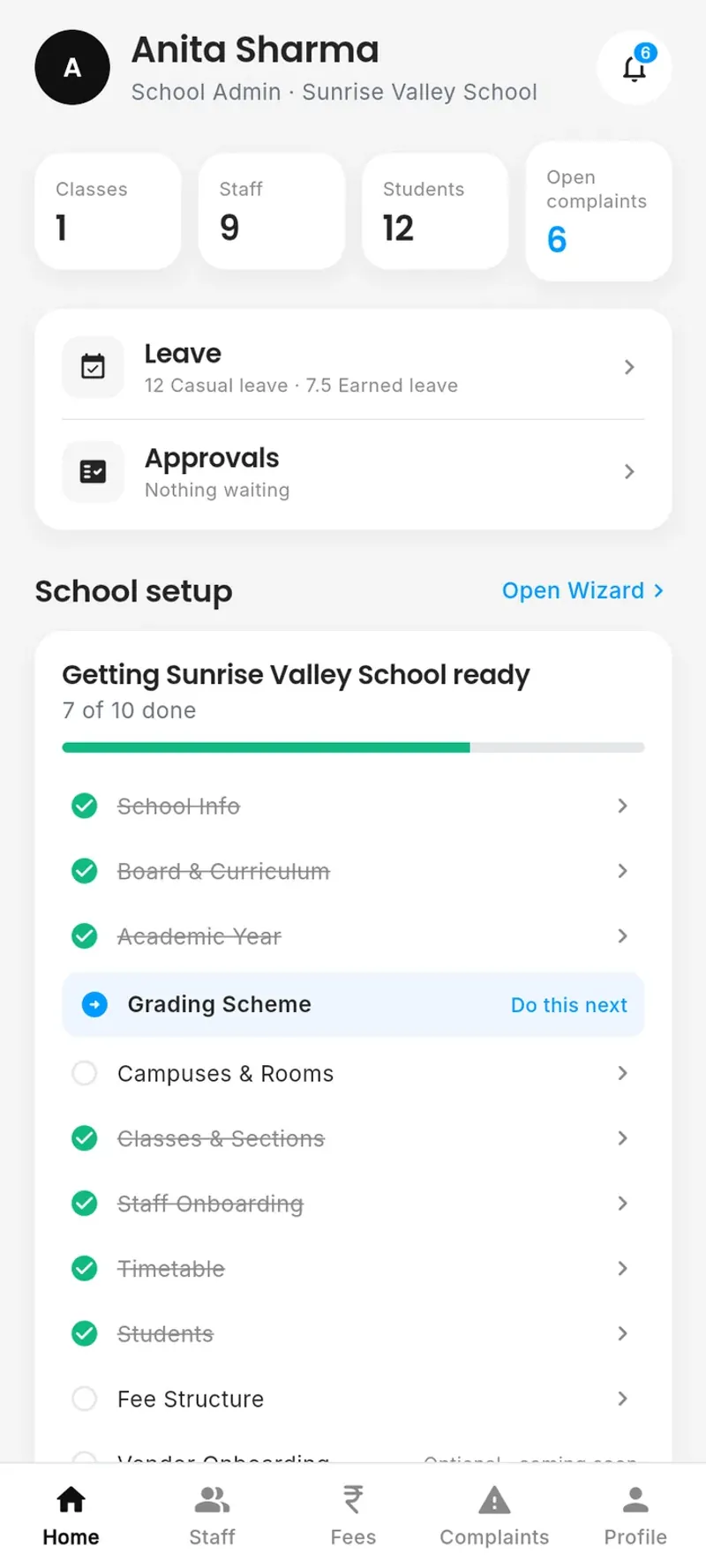
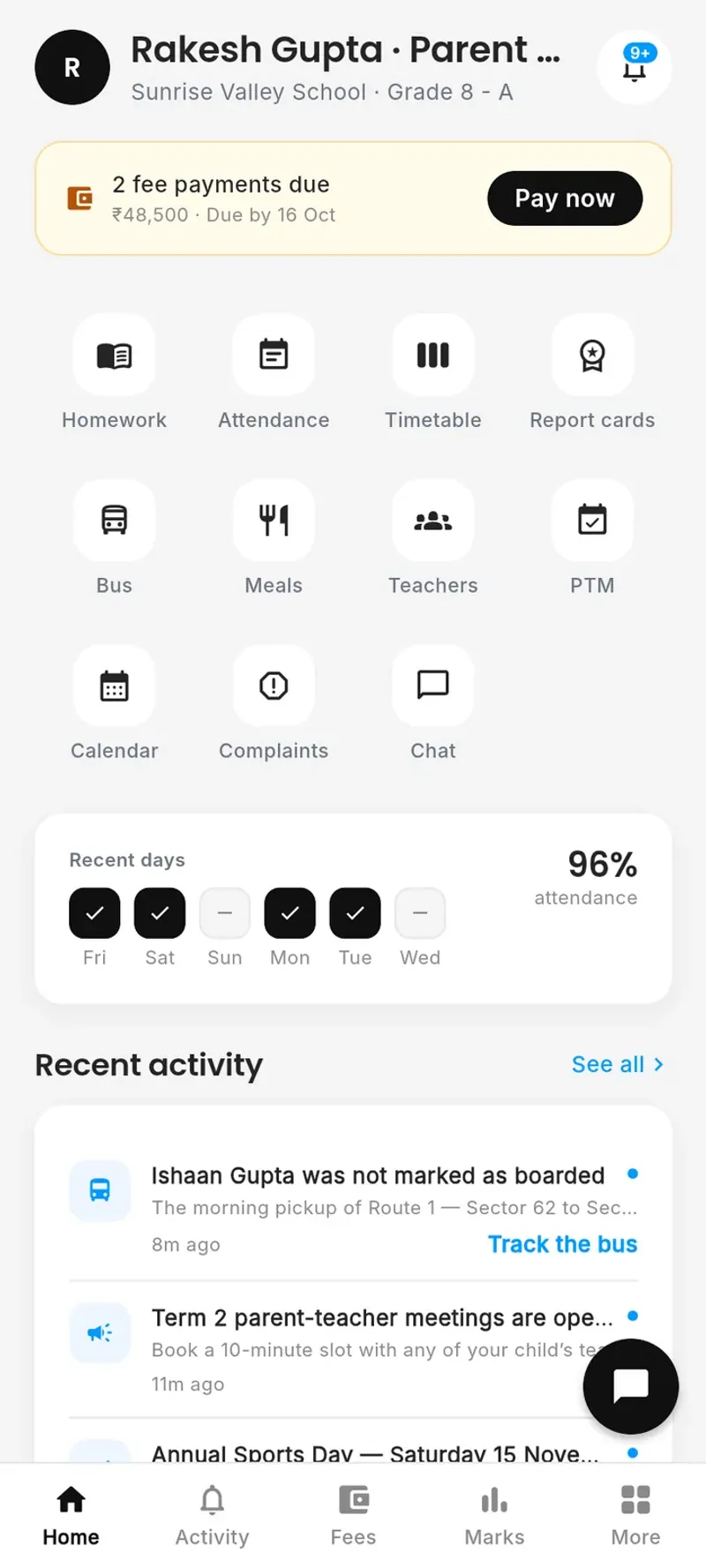
Fees due, attendance, marks, meetings and complaints, for every child, on the web and in the app.
Everything Bellbox runs
One platform for the whole school.
Classes and fees, and also payroll, the school bus, the kitchen and every complaint. Open any part for its step-by-step guide in the docs, or see it on screen.
Academics
The teaching year, from the timetable to the report card.
Classes, sections, class teachers and subjects, set up once in the guided setup.
Each class’s week, and cover arranged when a teacher is away.
Registers taken on the phone; parents see the day, the month and the pattern.
Set, handed in, graded and returned, with questions and attachments.
Marks by question, question papers and scanned answer sheets.
Year-end cards in your board’s layout, with a PDF and comments for parents.
Class and school performance, and the change since last term.
Clubs and activities students opt in to.
People & HR
Everyone the school employs, joining to leaving.
Bulk import with every failed row explained, and families linked and invited.
Teacher profiles and the leadership org chart, for families to see.
Employee records, joining checklists, resignations, clearance and Full & Final.
Balances, half days and approval flows; approved leave goes to the cover desk.
Payslips, salary, bank account, tax declaration and Form 16 on their own phone.
Finance
Fees in, salaries out, and a record of both.
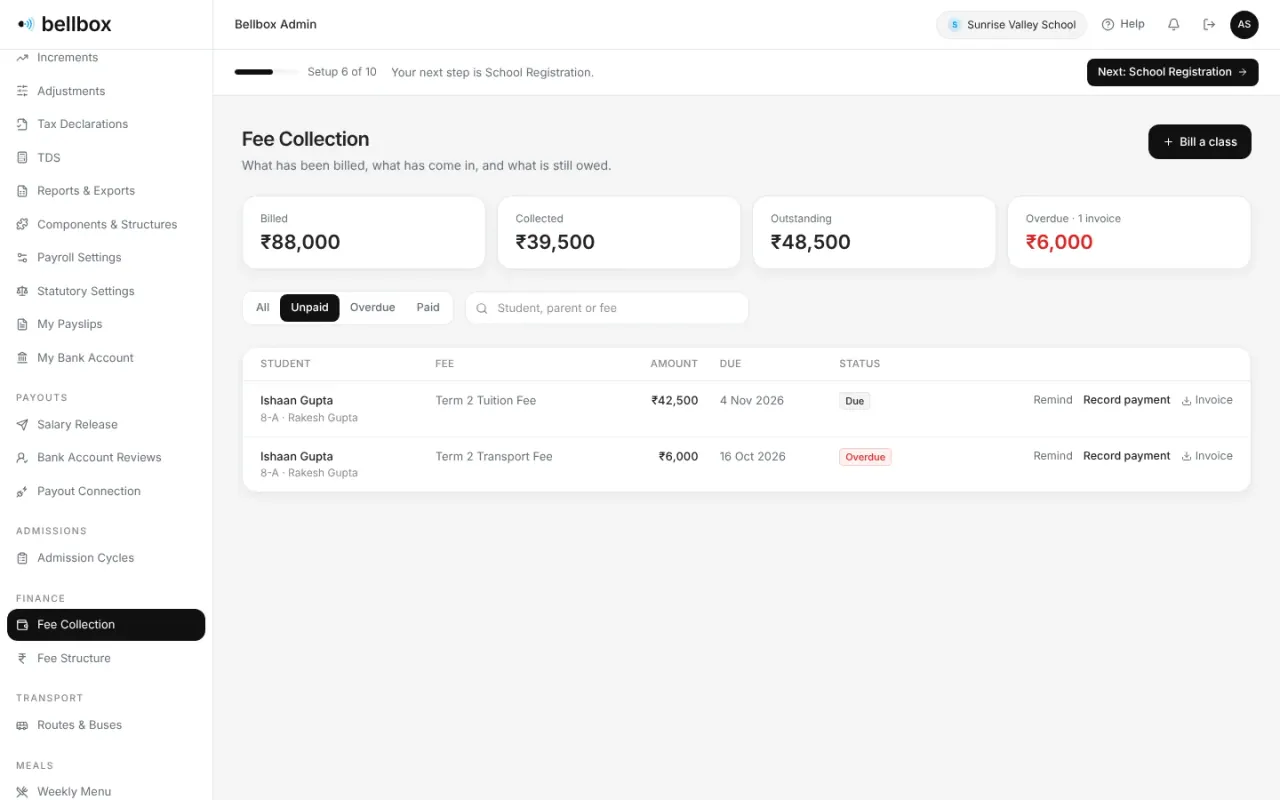
Bill a class, take payment online or at the counter, and refund with a record.
Monthly pay runs from approved salaries, attendance and leave, built for Indian statutory rules.
A salary release approved on its own and sent by a second person, to checked accounts.
Campus operations
Admissions, the school bus, the kitchen and the office.
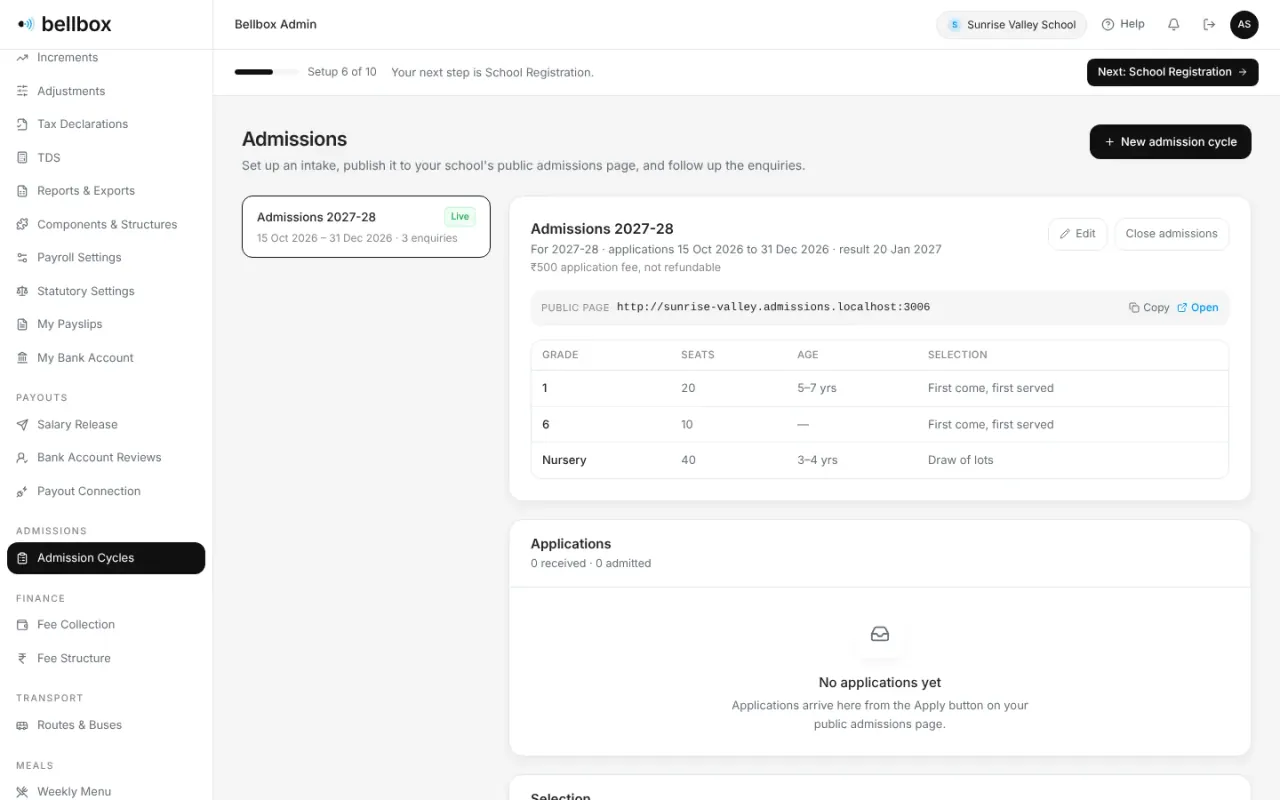
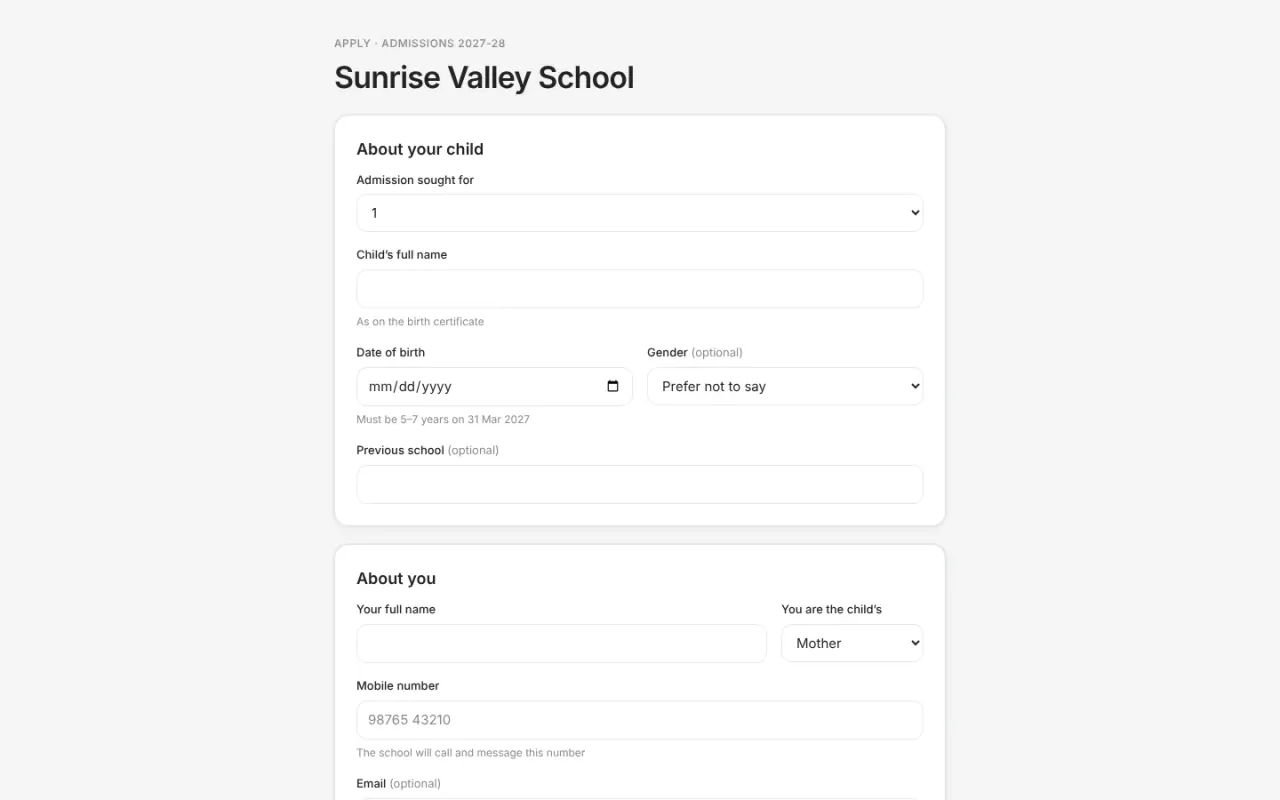
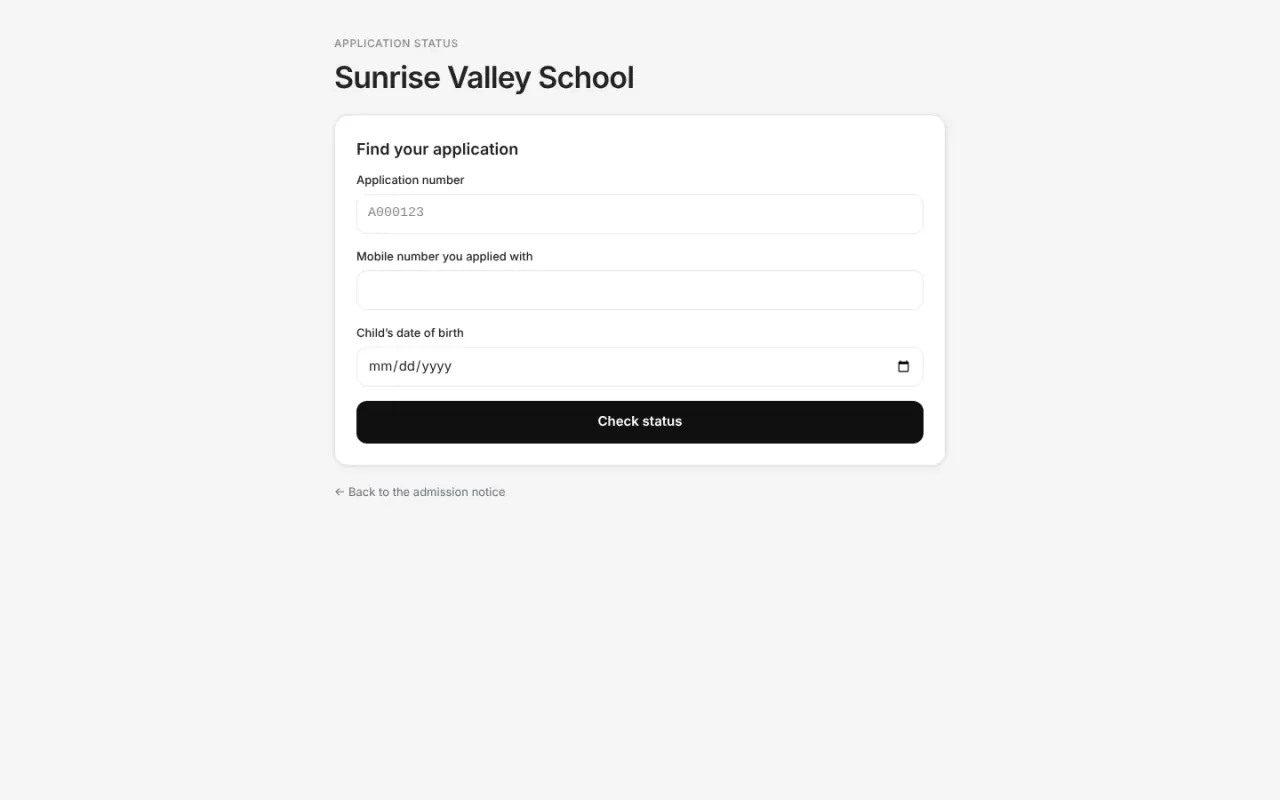
A public admissions page, online applications and a selection anyone can recheck.
Routes, stops and crew; parents follow the bus while a trip is running.
Weekly menus checked against nutrition goals, with veg, non-veg and Jain options.
Bonafide, character and transfer certificates, each with its own serial number.
Communication
Families informed, heard and answered.
Notices to chosen classes or roles, with the reach shown before you send.
Holidays, events and meetings on one calendar for every role.
Booking windows, meeting requests, and notes and action items both sides keep.
Every concern tracked to resolution and escalated when needed, with the parent kept in the loop.
Parents and teachers message each other without swapping phone numbers.
Security & platform
Who can see what, and a record of who changed it.
Staff sign in on the web with Microsoft Entra, Okta or any OpenID Connect provider.
Who changed what, and data requests under the DPDP Act handled in one place.
Online admissions
From notice to admitted,
in the open.
Start where you belong
An app for every role.
One shared school record.
Parents, students, teachers, non-teaching staff and the school office each get their own web app, tuned to their job, and everyone uses the same Bellbox app on Android and iOS.
One record of each student,
from year to year.
From Class 1 to Class 12. Attendance patterns. Homework submissions. Test scores, question by question. Report cards. Parent-teacher meetings. All kept in one record that grows each year.
Academics
Answers by questionHomeworkAttendance
Daily registerArrival timesActivities and sport
ClubsPersonal bestsParent meetings
Discussion notesAction itemsFees
InvoicesReceipts
Longitudinal data
The record carries over from year to year. Year-end report cards show growth over the last year, with strengths and weaknesses noted.
Privacy and access control
Built with the DPDP Act in mind. A separate database for every school. Role-based access. Admin changes to access, money and personal details are audit-logged.
Shared with the family
Parents see the same record the school does: marks with the class spread, attendance by the day, every answer next to the key.
Getting started
A school shouldn’t need
a six-week rollout.
Set up your school
We create your school. A guided setup walks you through board, academic year, campuses, classes and subjects, and always shows the next step.
Connect sign-in
Connect Microsoft, Okta or any OpenID Connect provider for staff. Parents sign in with Google or phone OTP.
Onboard your people
Bulk import staff, students and parents. Every row that fails comes back with the reason.
Go live
Timetable, attendance, homework, fees and notices run on the web and on phones.
The docs, told as stories
A day at Sunrise Valley, live.
Our docs follow a school day through the real screens, step by step, for every role. Scroll through one, from the morning bus to the evening chat.
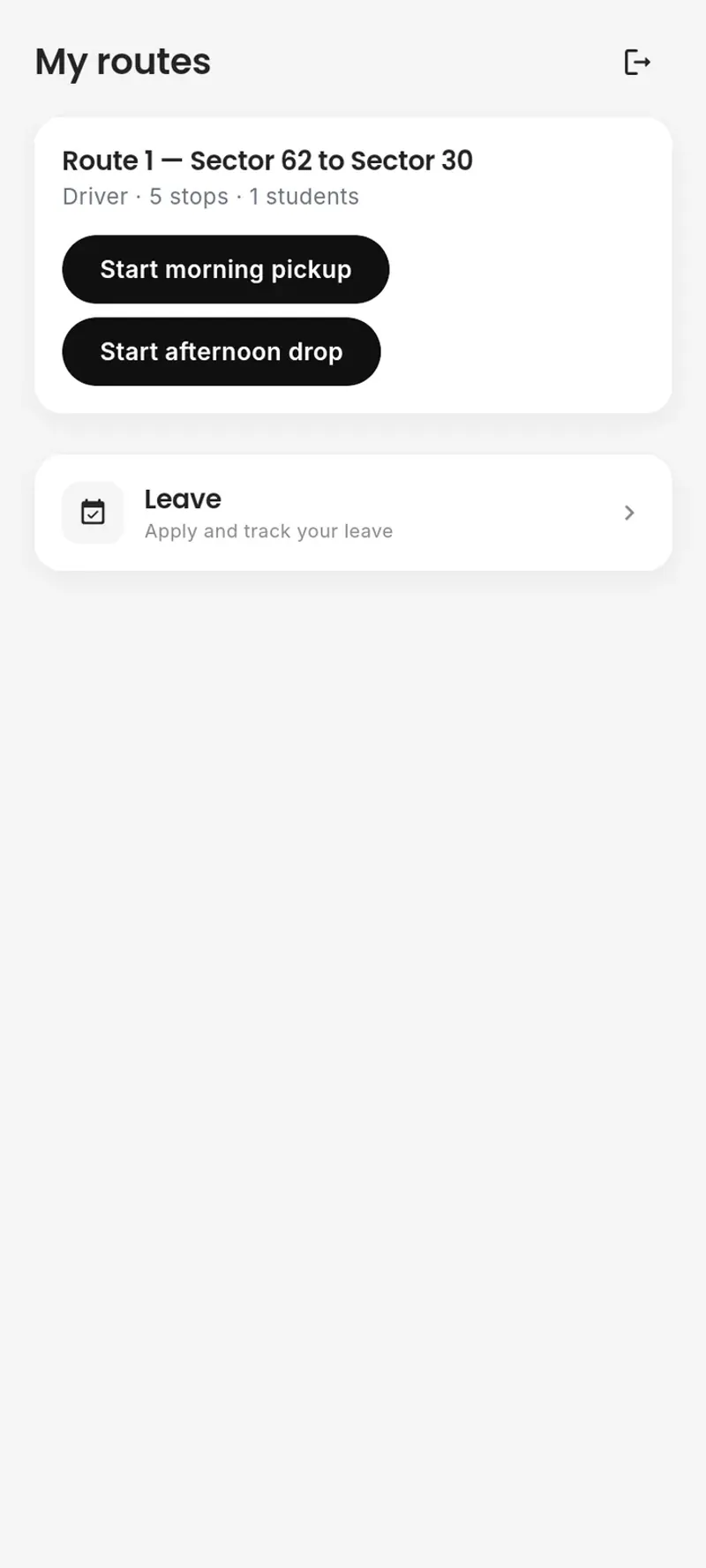
7:10 amRamesh, the bus driver
The morning pickup starts
Ramesh opens Bellbox Mobile and starts Route 1’s morning pickup. From now on, parents on the route can follow the bus.
7:25 amRakesh, Ishaan’s father
Following the bus
The School Bus page shows Ishaan’s route, his stop and times, and who is on the bus today, with their phone numbers.
parent.sunrise-valley.bellbox.co.in/bus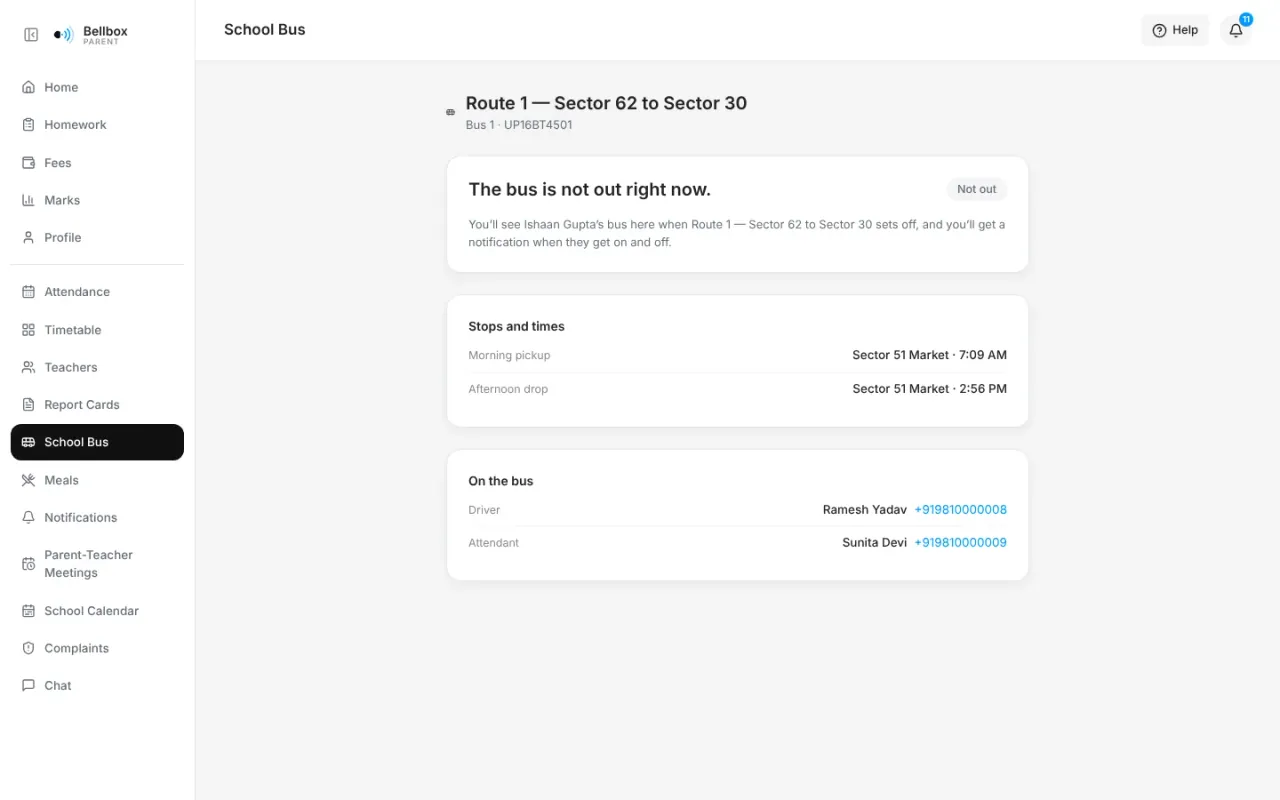
8:05 amMeera, class teacher of 8-A
Attendance in under a minute
Everyone starts as present, so Meera only taps the children who aren’t. The register is saved for the whole school to see.
teacher.sunrise-valley.bellbox.co.in/classes/01a15fa4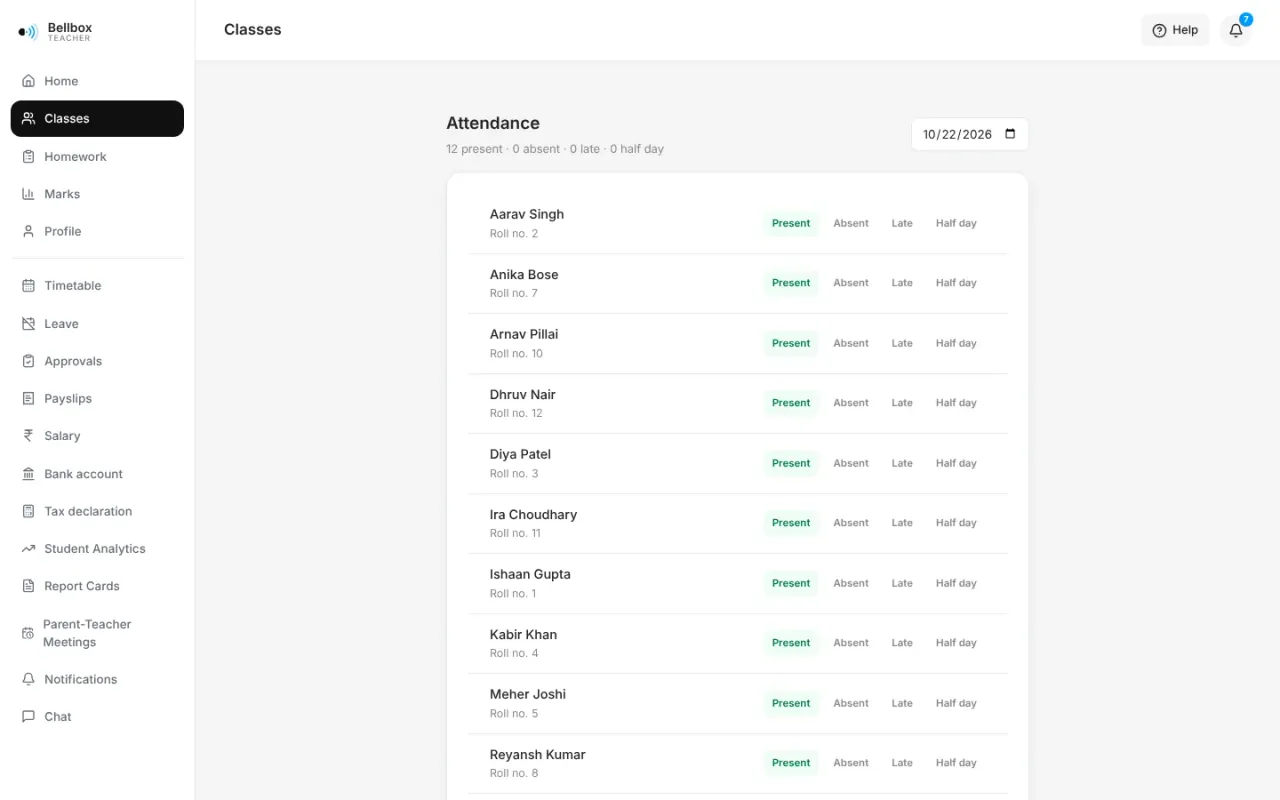
8:06 amRakesh
Families are notified
Notifications tell parents what changed: attendance, a new menu, a meeting, homework and results. Each one links to the page it is about.
parent.sunrise-valley.bellbox.co.in/notifications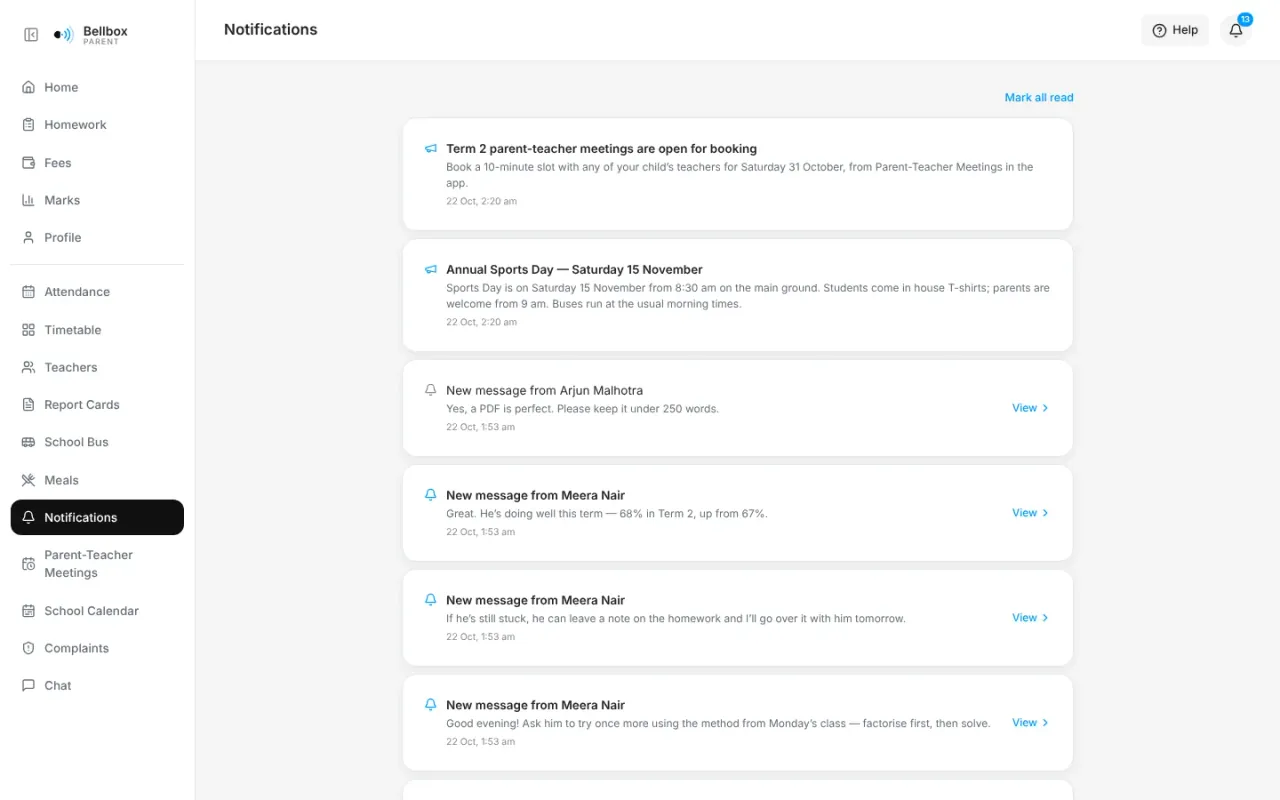
12:30 pmIshaan, Class 8-A
What’s for lunch
The week’s menu shows its nutrition: energy, protein and more, against the day’s goal.
student.sunrise-valley.bellbox.co.in/meals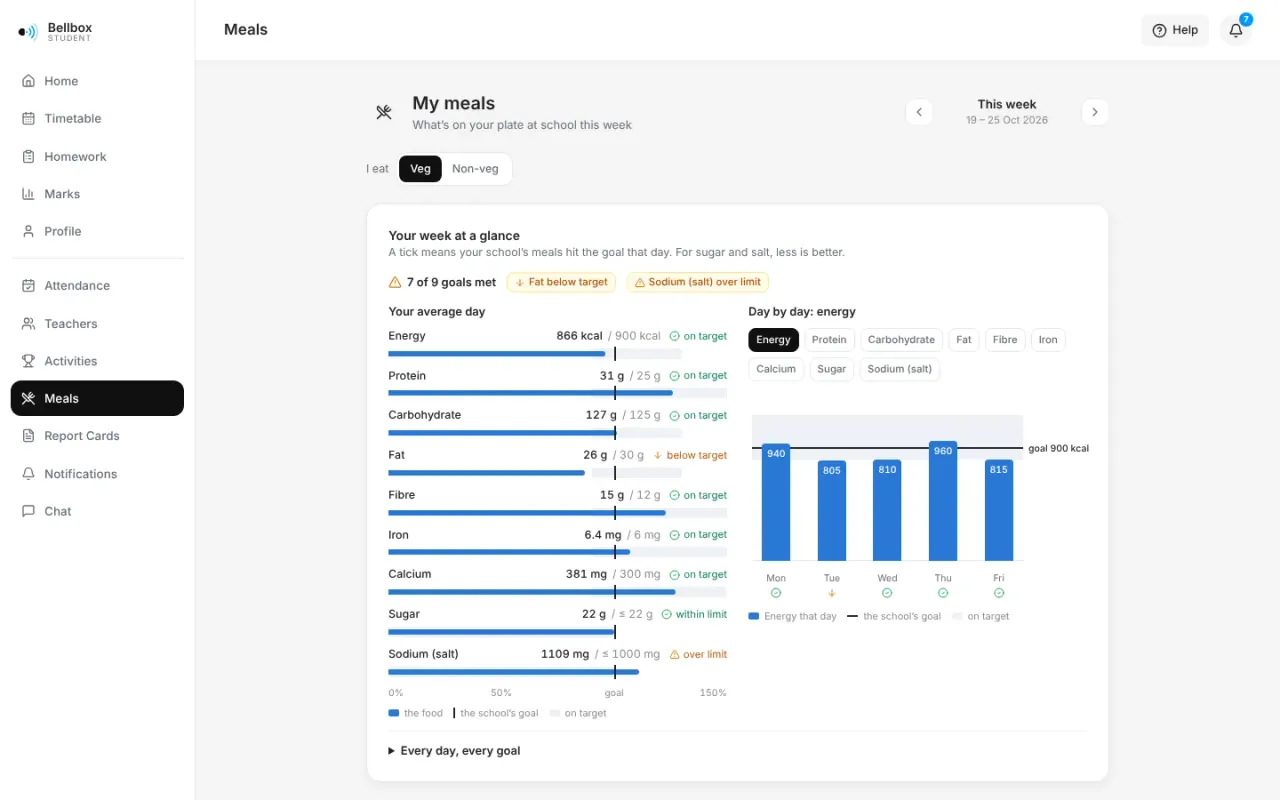
3:00 pmMeera
Setting homework
Meera picks the class and subject, writes the questions (maths notation is supported) and sets a due date. Students and parents see it as soon as it is set.
teacher.sunrise-valley.bellbox.co.in/homework/new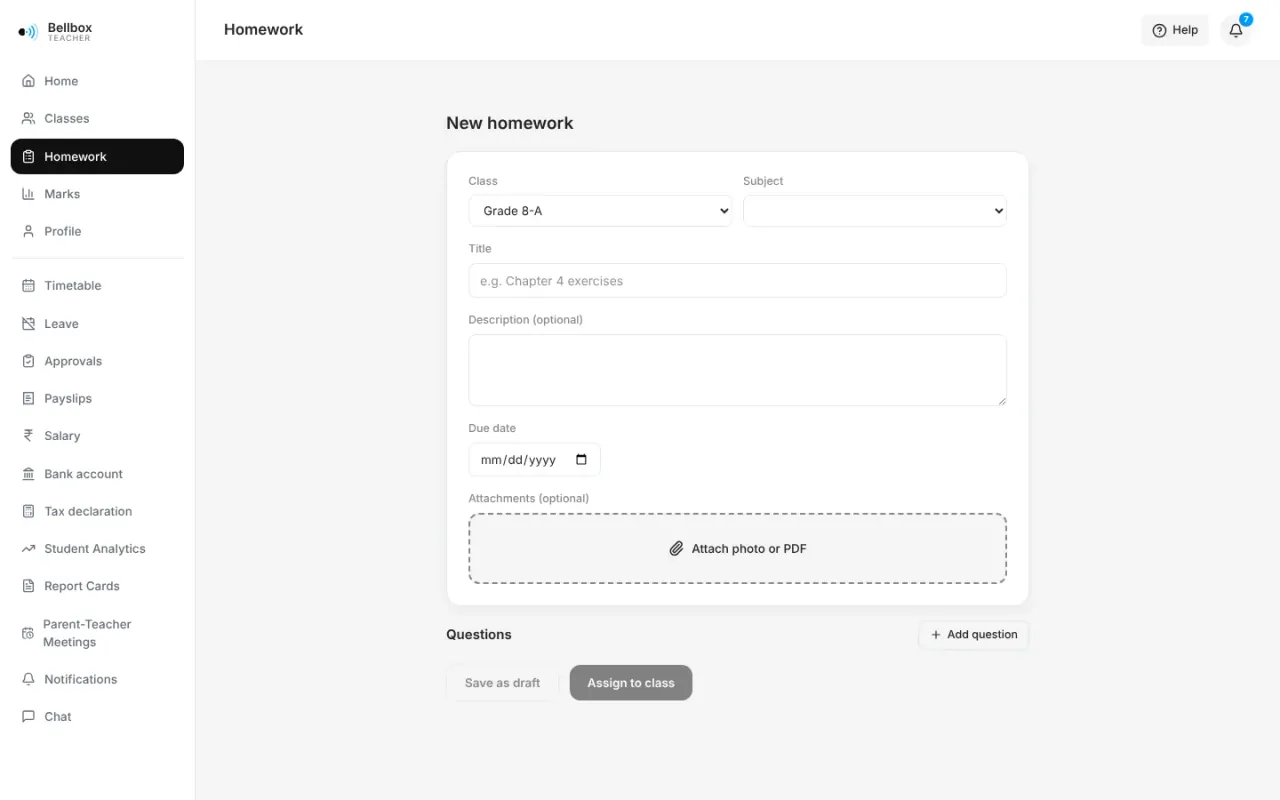
7:30 pmIshaan
Hand it in from home
Ishaan answers each question and attaches a photo or PDF of his work. It saves as he goes.
student.sunrise-valley.bellbox.co.in/homework/01a15fa4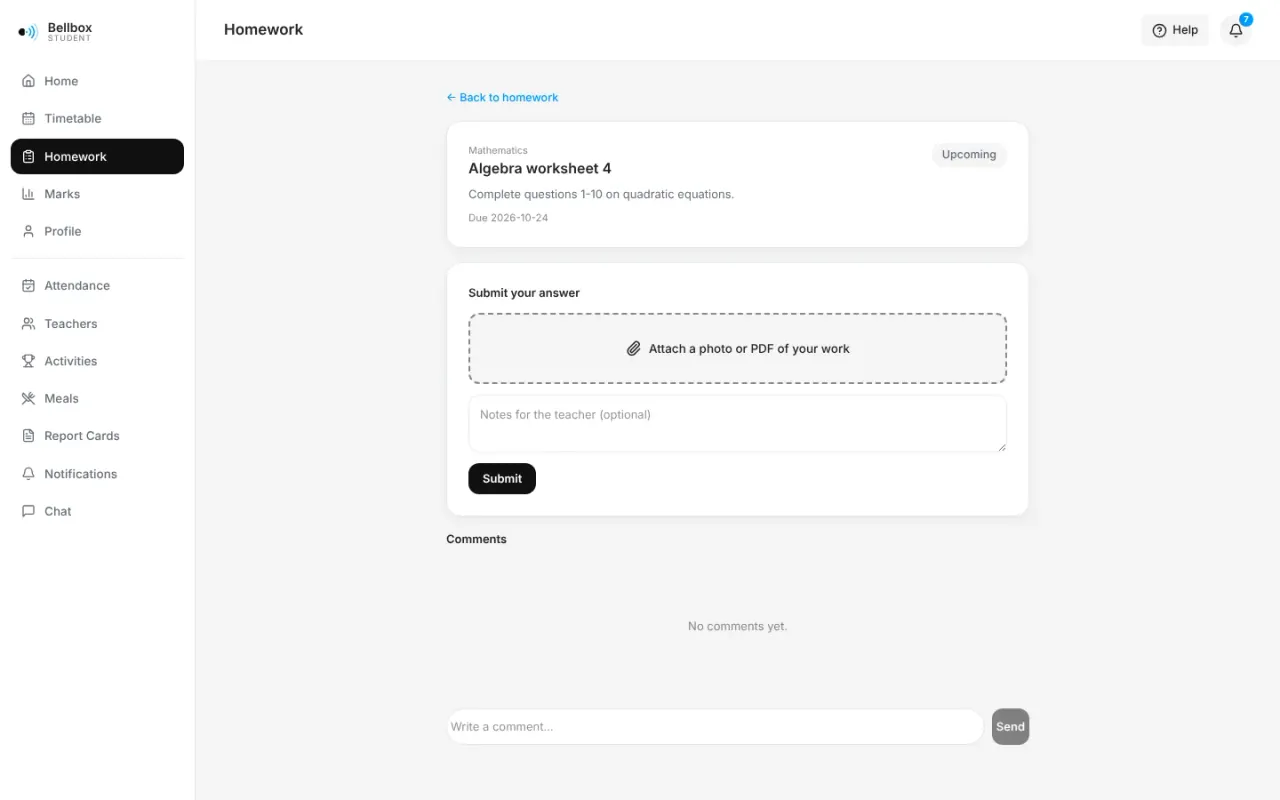
8:00 pmRakesh and Meera
A quick word with the teacher
When Ishaan gets stuck, his father asks Meera in Chat. No personal phone numbers are shared, and the school decides who may chat with whom.
parent.sunrise-valley.bellbox.co.in/chat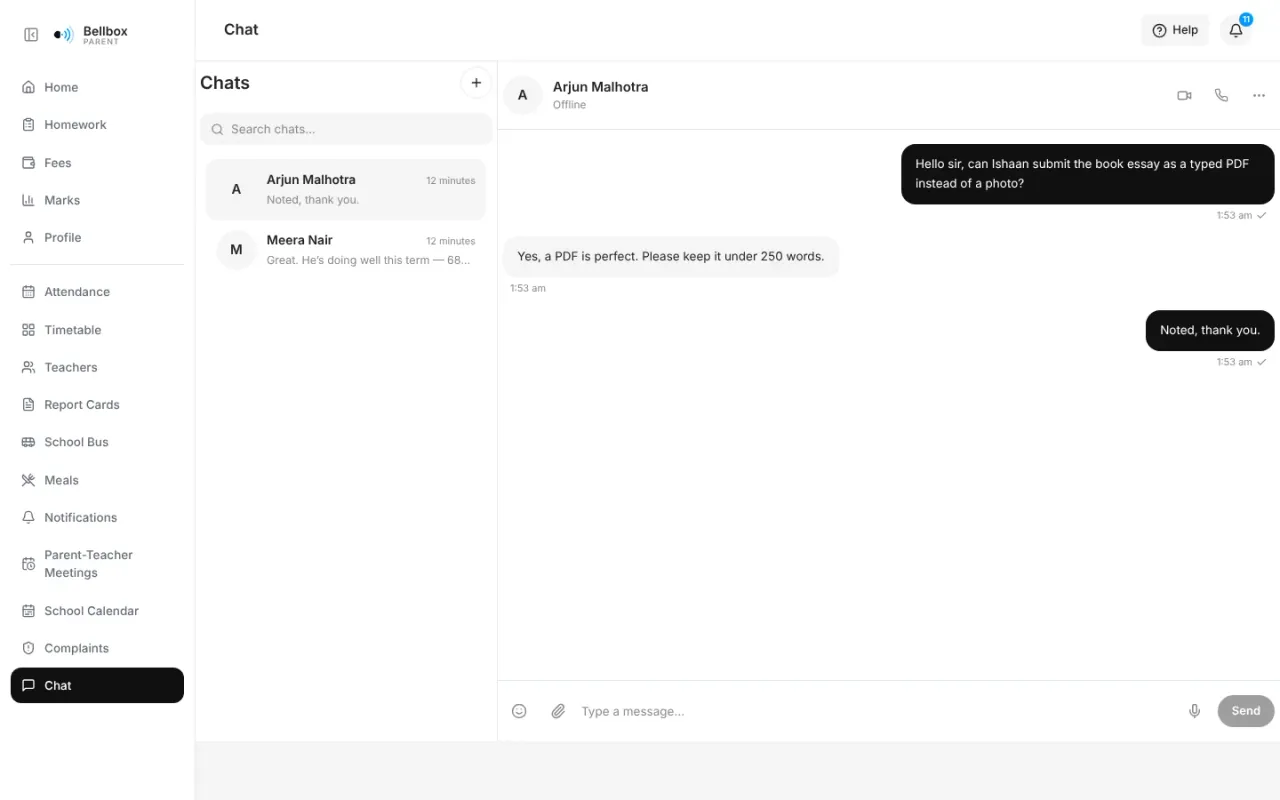
More days in the docs
Browse all 352 screens- Bellbox in two minutesOne platform with an app for everyone in the school, shown one screen at a time.School leaderTeacherParentStudentStaff
- Homework, end to endSet, submitted, graded and seen at home, all in the apps.TeacherStudentParent
- Collecting feesBill a class, let families pay online, and track every payment.AccountsParent
- PaydayFrom the month’s pay run to a payslip on every employee’s phone.HR & payrollTeacherStaff
- Admissions seasonOpen a cycle, publish a page, and run a fair, public selection.School officeFamilies
- A parent-teacher meetingBook a slot, meet, and leave with action items both sides can see.School officeParentTeacher
Pricing
Pricing based on your school,
agreed with you.
We don't publish fixed tiers. Tell us your school's size and what you need, and we will send you a quote.
Priced by school size
You pay per student, so a smaller school pays less and the price moves with your enrolment.
No lock-in contracts
Choose monthly or annual billing. You can export your data at any time.
RTE 25% cohort free
Students admitted under the Right to Education Act are not counted in your bill.
Volume discounts, grants and multi-year terms are available.
Questions
What schools ask us
What is Bellbox?
Bellbox is school management software (a school ERP) for Indian K-12 schools. The school office works on the web, and teachers, parents and students use one app on Android and iOS. Admissions, fees, attendance, homework, exams, report cards, parent-teacher meetings, notices, complaints and chat all work from one record of each student, and the same platform runs HR, leave, payroll, the school bus and the kitchen’s menus.
Which boards does Bellbox support?
CBSE, ICSE, IB, Cambridge and State Board schools. Parents see year-end report cards in CBSE, ICSE, IB, Cambridge and state-board layouts, with a PDF, comments and year-on-year growth. For ICSE and state-board classes, Bellbox drafts each card from the year’s marks and attendance for the school to issue.
Can parents pay school fees online?
Yes. Parents pay through Razorpay in the app or on the web and get invoices and receipts. The office sees what is billed, collected, outstanding and overdue, and can record counter payments, reversals and refunds and send reminders.
Does Bellbox run staff payroll and statutory compliance?
Yes. HR keeps a record of everyone the school employs, from the joining checklist to resignation, clearance and the Full & Final settlement. Each month’s pay run works out every payslip from approved salaries, attendance and leave, goes through the school’s approval flow and is published to staff, who see their payslips, tax declaration and Form 16 Part B on their phone. Payroll is built for Indian statutory rules (PF, ESI, professional tax, labour welfare fund and TDS under both regimes), and exports EPF ECR, ESIC, professional tax and Form 24Q data for your chartered accountant to check before filing.
Can parents see where the school bus is?
Yes, while a trip is running. The driver or attendant starts each trip in the Bellbox app, and while their trip screen is open, parents of children on that route see where the bus is and how far it is from their stop. The crew marks each child on and off the bus and parents see it in the app. Location is shared only during a trip. Parents also see their child’s route, stop, pickup and drop times and the crew’s phone numbers.
Do you plan school meals?
Yes. The kitchen plans each week’s breakfast, lunch or other meals for each group of classes from a dish library with nutrition per serving. Before the week is published, every day is checked against the school’s goals for energy, protein, iron, calcium and more, and its limits on sugar and sodium. Families and students see the week with its veg, non-veg and Jain options, and a parent can raise a concern about a particular meal that goes straight to the meal in-charge.
How are complaints handled?
A parent raises a complaint in the app, picks what it is about (academics, transport, fees, food, safety and so on) and says what happened. The school takes it up, replies, escalates it to someone senior if needed and resolves it with a note on what was done. The parent sees every step and who has it, can add a follow-up, and can reopen it if the problem is not fixed. Escalations are recorded in the audit log, and food complaints that name a meal go straight to the meal in-charge.
Does Bellbox handle online admissions?
Yes. Each school gets its own admissions page. Families apply online, upload documents, pay the application fee and track their status. Selection can be first come, by points or by a draw whose seed and steps anyone can recheck.
Is student data safe, and is Bellbox DPDP compliant?
Each school has its own separate database, access is role-based, and changes to access, money and personal details are audit-logged. Bellbox is built for the Digital Personal Data Protection Act 2023, with data kept in India.
How does a school move to Bellbox?
A guided setup walks the office through classes, subjects, staff, timetable and fees. Students, staff and parents are imported in bulk, and any row that fails comes back with the reason. Staff can sign in with Microsoft, Okta or any OpenID Connect provider.
How does Bellbox use AI?
Bellbox records attendance by the day, homework by the submission and tests by the question. AI features such as interactive practice and personalised guidance work from that record, so each suggestion points back to the entries it is based on.
How is Bellbox priced?
Per student, based on the size of the school. Students admitted under the Right to Education Act are not counted. Contact us for a quote.
See Bellbox with your
school's own workflows.
Book a demo and we will walk you through admissions, fees, academics and administration, using the way your school works today.